MV-2-MZ Migrator | Run & Convert MV Plugins in RPG Maker MZ
$7.99
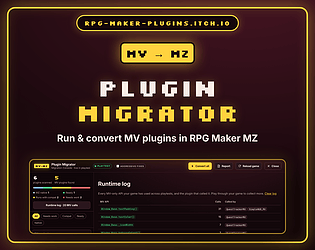
Drop your RPG Maker MV plugins into MZ and they run. Then convert them to native MZ code with one click.
Your MV plugins. Running in RPG Maker MZ.
You upgraded to RPG Maker MZ, dropped in your favourite MV plugins, pressed Playtest… and got “Argument must be a Rectangle.” MZ removed hundreds of the APIs MV plugins rely on.
MV2MZ Migrator puts them back, then helps you move each plugin to native MZ code, one click at a time.
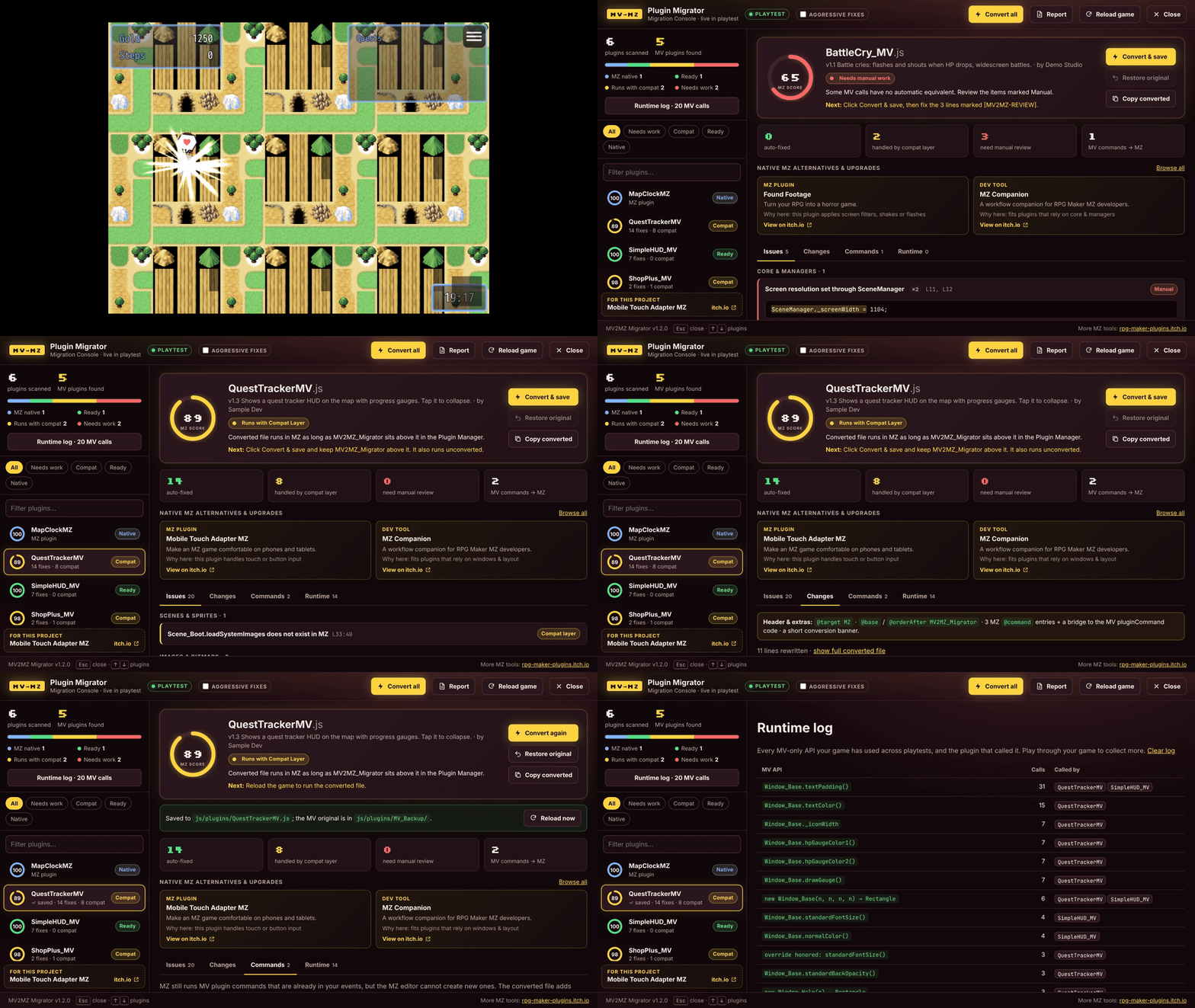
Three tools in one plugin
1 · Compatibility layer. Put MV2MZ_Migrator at the top of your plugin list and most MV plugins run unchanged: MV window sizes, colors, fonts, padding, HP/MP/TP gauges, character animations and balloons, sync saves, hue-shifted images, PIXI v4 names and more. It works in your deployed game, too.
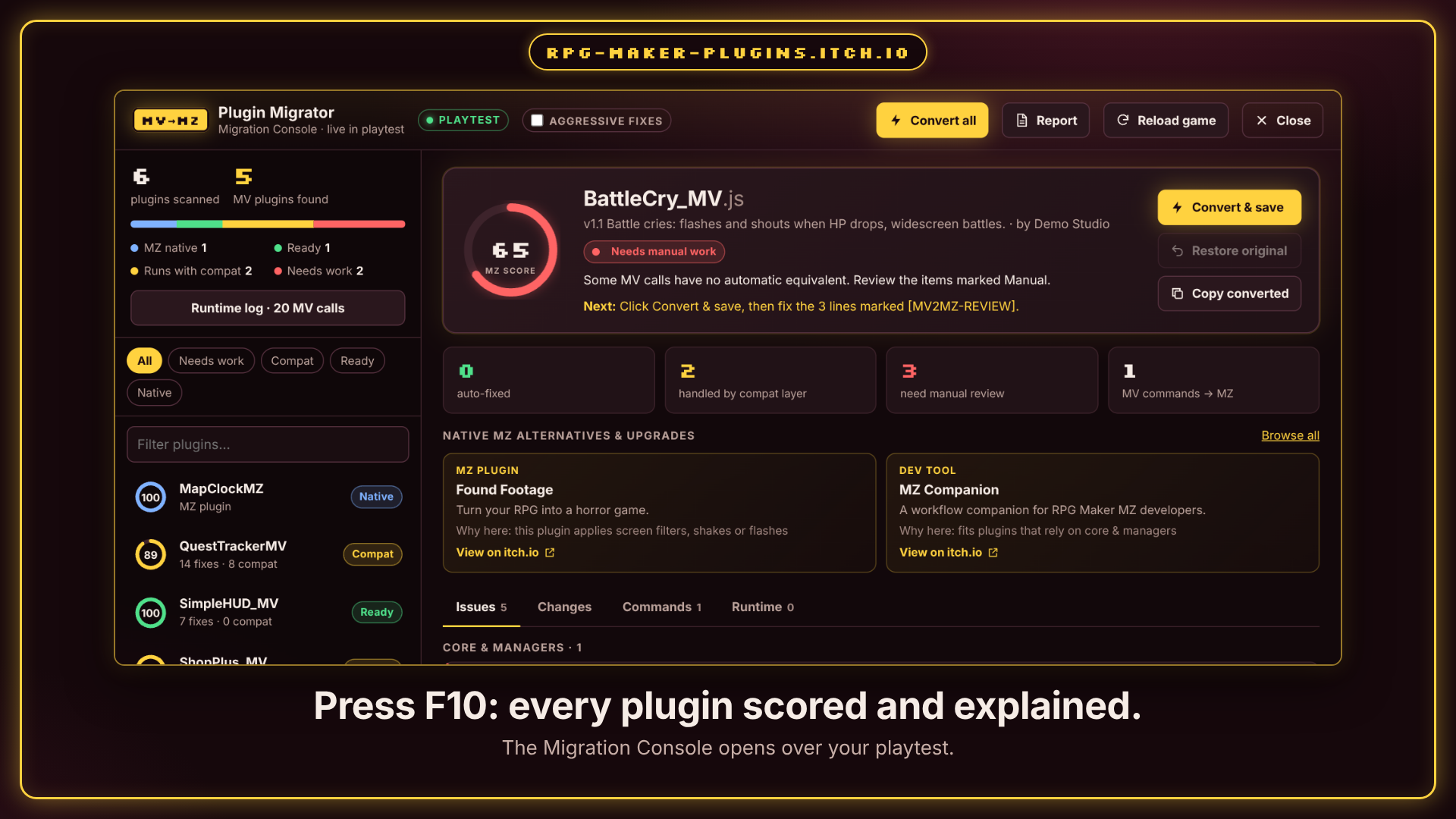
2 · Migration Console (press F10 in playtest).
- Every plugin gets an MZ score and a clear status: Native, Ready, Compat or Needs work
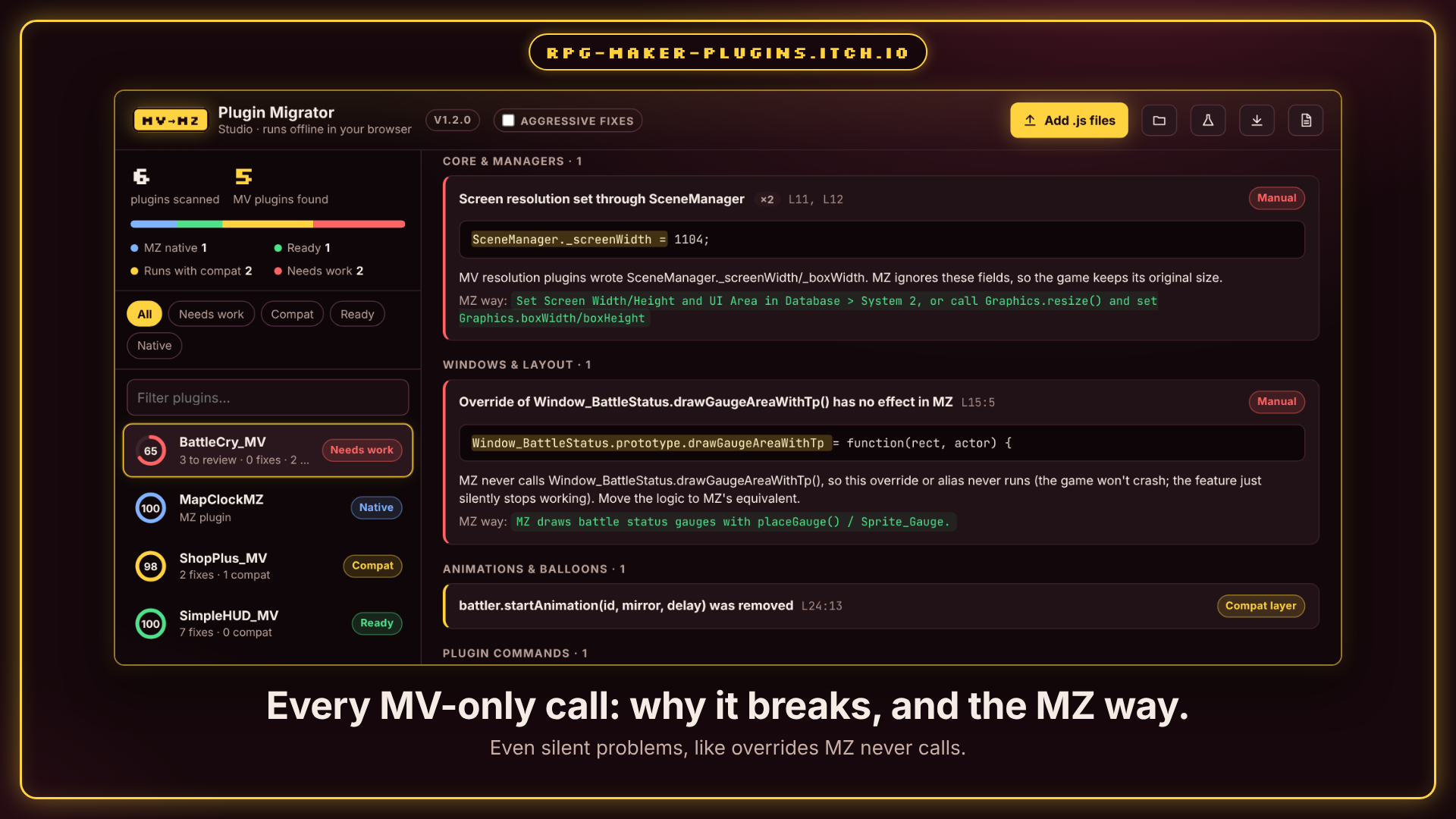
- Every MV-only call is explained: why it breaks and the MZ way to do it, with the exact line
- Catches the silent problems too: overrides MZ never calls, resolution hacks MZ ignores
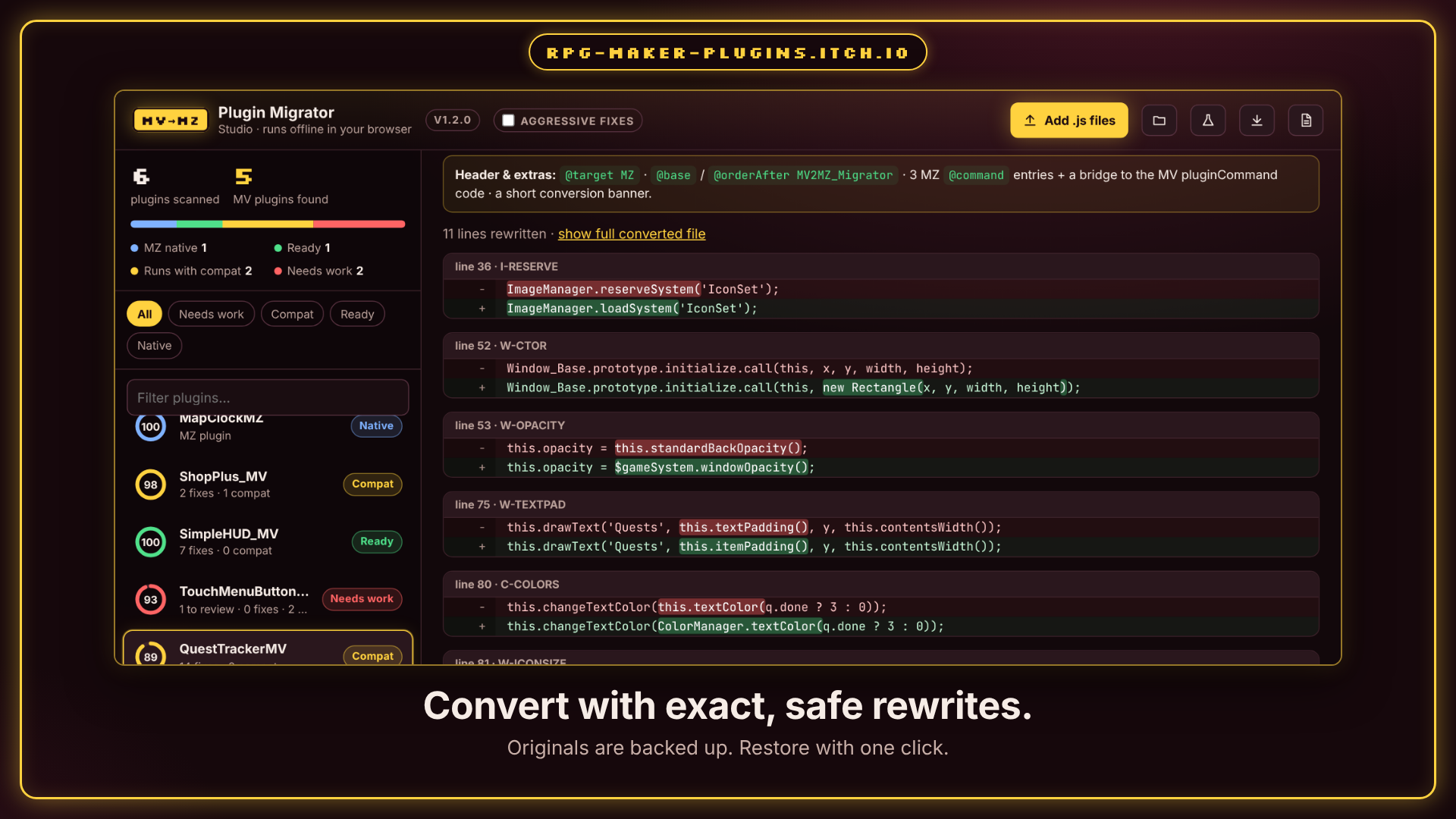
- Convert & save rewrites the file safely: originals backed up, one-click restore
- MV plugin commands become real MZ plugin commands you can pick in the event editor
- A runtime log shows which MV APIs your game actually uses, and which plugin called them
3 · Studio (browser). The same scanner and converter as a single HTML file. Open it in any browser, drop files or a whole project folder, and download everything as a .zip with an HTML report. Nothing is uploaded anywhere.
Tested the hard way
- 589 real MV plugins converted, 0 broken outputs
- 30 MV plugins running together in RPG Maker MZ 1.7, through a full battle
- MZ's own screens look exactly the same with the plugin installed
- Deployed games: no logging and no console, only the compatibility layer
Quick start
- Copy MV2MZ_Migrator.js into js/plugins
- Add it in the Plugin Manager and drag it to the top
- Add your MV plugins below it and press Playtest
- Press F10 to open the Migration Console
What's in the download
- MV2MZ_Migrator.js (the RPG Maker MZ plugin)
- MV2MZ_Studio.html (works offline in any browser)
- A sample MV plugin to try it on
- README, changelog, license notices
Good to know
- Requires RPG Maker MZ (tested on 1.7.0). MV plugins need to be saved as UTF-8; the tool tells you if one isn't.
- Some plugins need a person: the console marks those lines and says exactly what to change.
- Plugins that depend on extra libraries (for example pixi-filters) still need those libraries.
- The console suggests related native MZ tools from this store. Turn it off with one parameter.
Terms
Use in commercial and non-commercial games. Credit “RPG Maker Plugins” appreciated. Don't resell or redistribute the plugin or the Studio on their own. Converted copies of your own plugins are yours.
More tools for RPG Maker MZ: MZ Companion · Mobile Touch Adapter MZ · JoyStick + Buttons + Haptic Feedback · Browse all



Reviews
There are no reviews yet.