MZ-2-MV Migrator | MZ Plugin Converter
$7.99
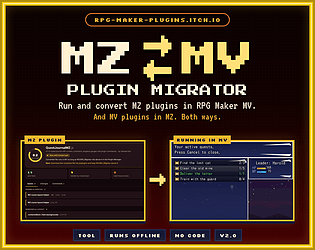
Run and convert MZ plugins in RPG Maker MV. Offline, no code, with an in-game console.
Found the perfect plugin, and it's made for the other engine? Plugin Migrator runs and converts RPG Maker plugins between MV and MZ, in both directions. Version 2.0 adds MZ → MV: run MZ plugins in RPG Maker MV 1.6+ and turn them into MV code. The MV → MZ converter is still included.

What it does
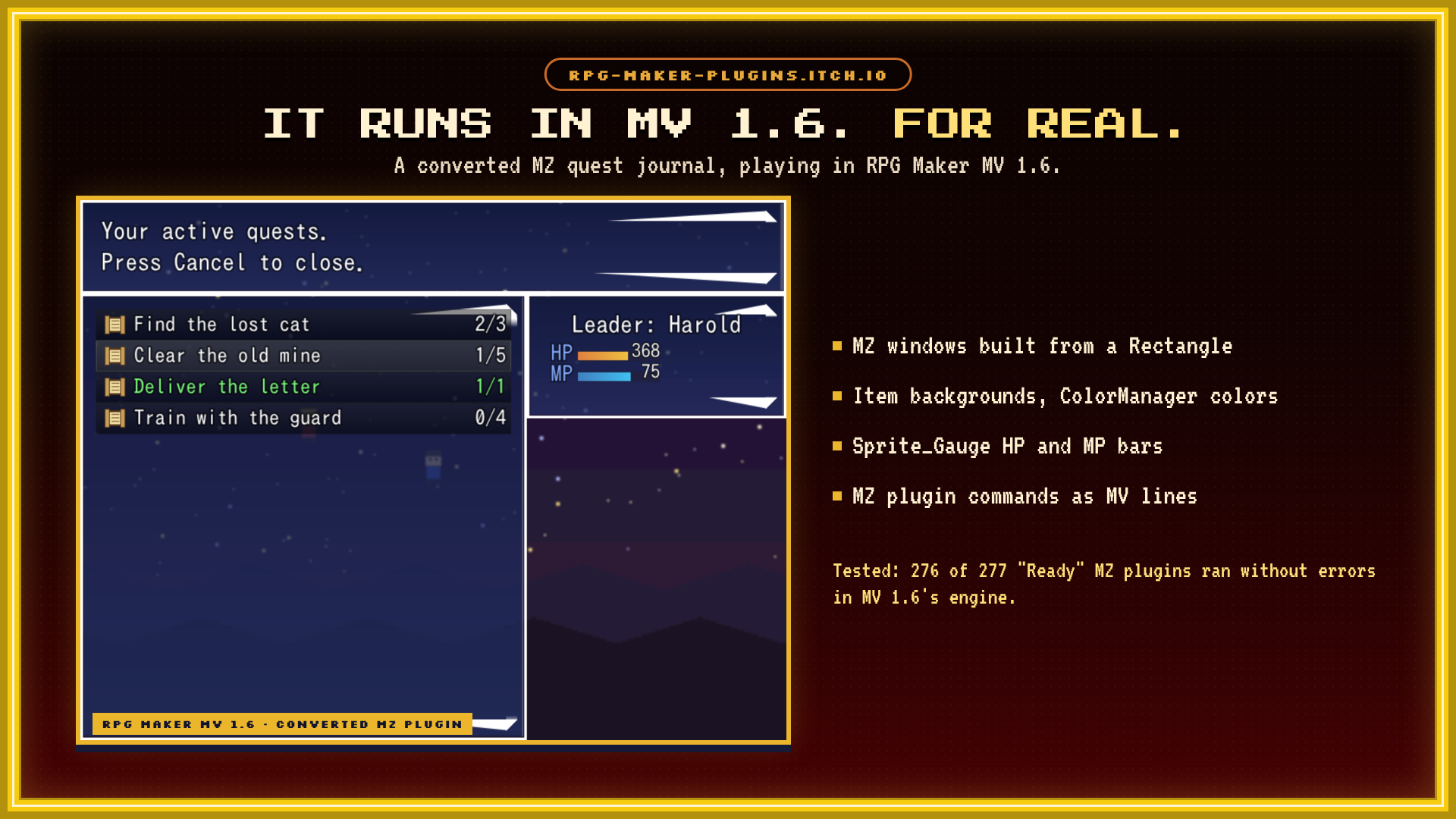
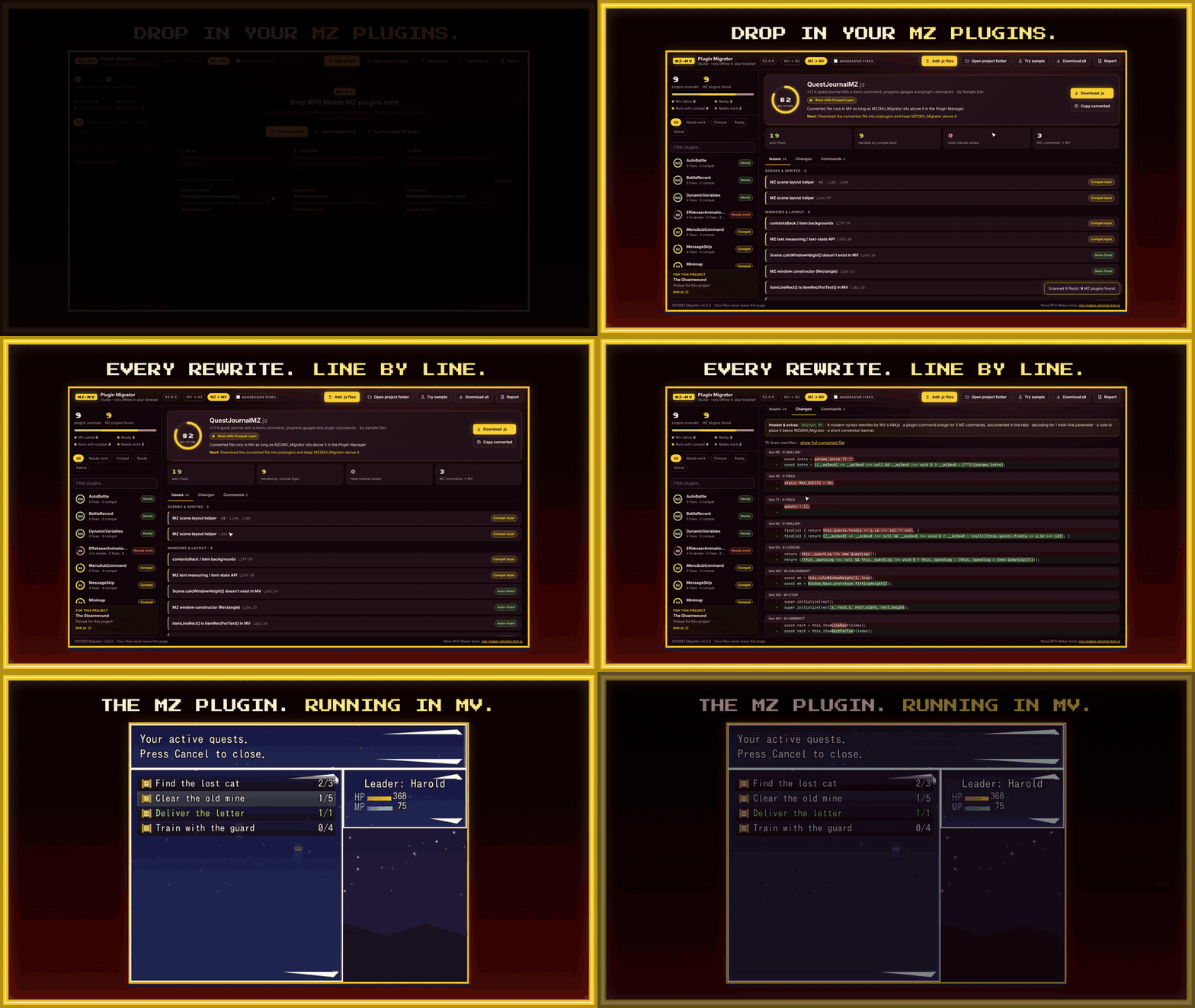
- Runs MZ plugins in MV. MZ2MV_Migrator.js is an MV plugin. Put it at the top of the Plugin Manager and most MZ plugins below it run in MV, through a compatibility layer for the MZ features MV is missing: Rectangle-based windows, ColorManager, Sprite_Gauge and Window_StatusBase, item backgrounds, MZ's text measuring, scene layout helpers, PIXI v5 names and more.
- Converts them to MV code. One click rewrites a plugin into a file MV can load. The original goes to js/plugins/MZ_Backup/ and "Restore original" puts it back.
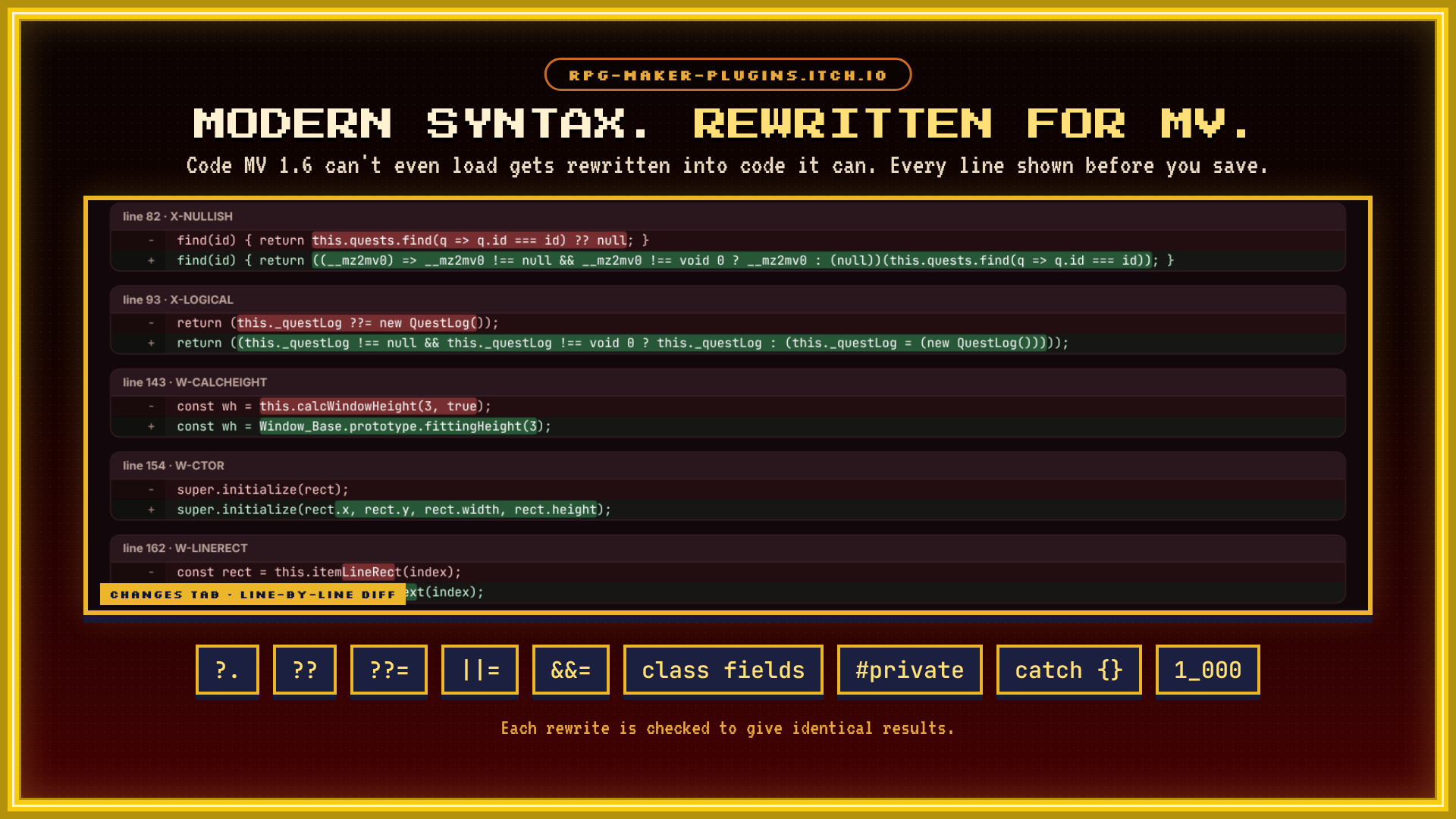
- Rewrites modern JavaScript. MV 1.6 can't even load a file that uses
?.????=||=&&=, class fields,#privatefields,catch {}or numeric separators. The converter rewrites that syntax into equivalent code, and each rewrite is checked to give identical results. - Brings MZ plugin commands to MV. Every MZ command works as an MV Plugin Command line, for example
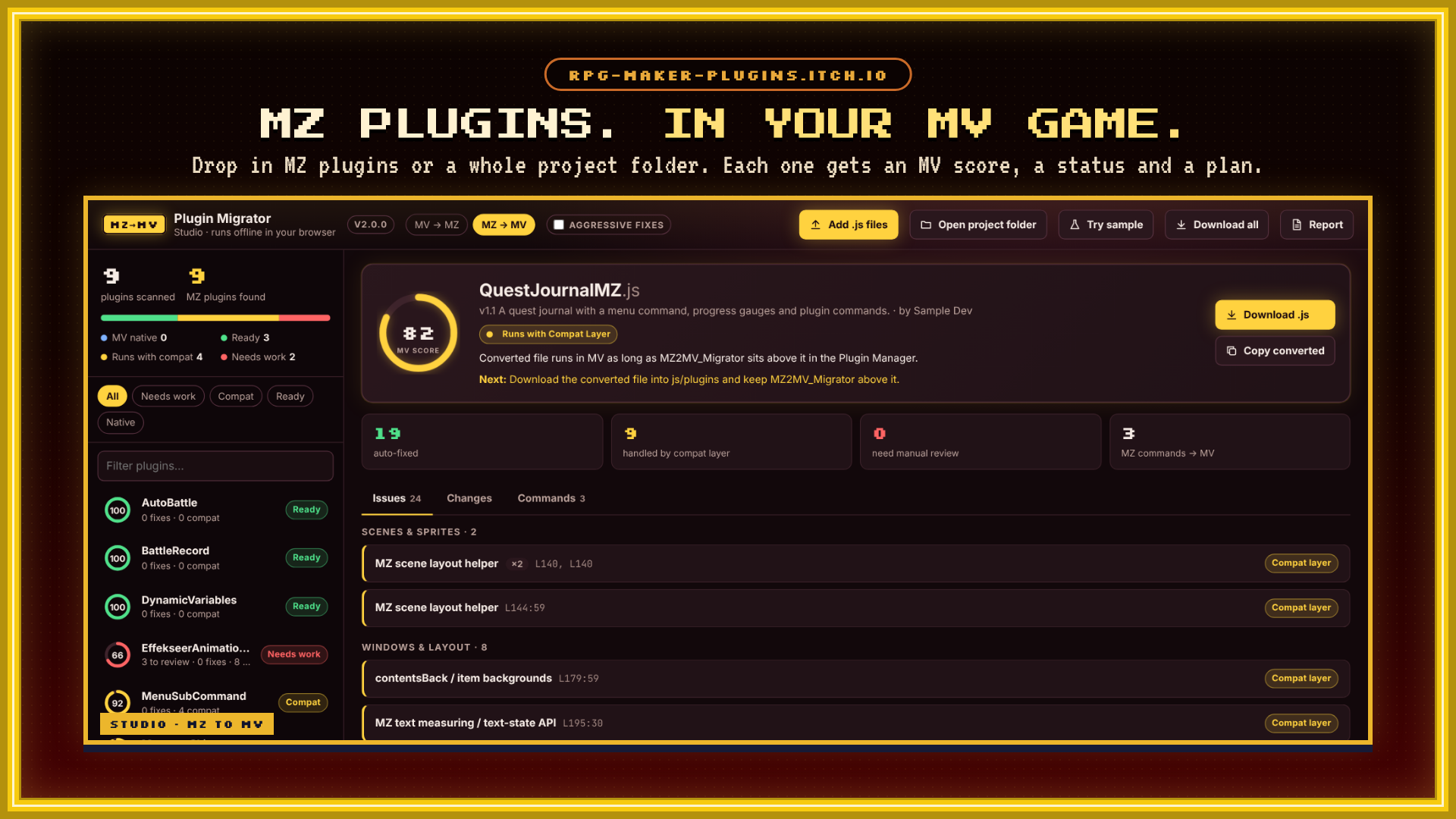
QuestJournalMZ AddQuest id=1 title="New Quest" goal=3. The syntax is written into the converted plugin's help. - Shows its work. Press F10 in playtest to open the Migration Console: an MV score and status for every plugin, each issue with its line number and why it breaks, a line-by-line diff of every change, ready-to-copy command lines, and a runtime log of the MZ calls your game actually made.
- Works outside the editor too. MV2MZ_Studio.html runs in Chrome, Edge or Firefox. Drop in files or a whole project folder, pick the direction, and download converted files or a .zip with an HTML report. Nothing is uploaded.
- Still converts MV → MZ. MV2MZ_Migrator.js runs MV plugins in MZ and converts them, the same as in v1.2.
Tested on real plugins
The analyzer is built from a runtime comparison of the MV 1.6 and MZ 1.6 engines (16 MZ-only classes, 550+ MZ-only methods) and was checked against 843 real MZ plugins. 456 of them were converted and played in RPG Maker MV 1.6's engine through a 15-scene tour: map, messages, menus, shop, save and battle.
- 276 of 277 plugins rated "Ready" ran without errors, 274 of them with no compatibility layer at all
- 74 of 75 plugins rated "Compat" ran without errors
The MV → MZ side was tested against 589 real MV plugins and a full MZ 1.7.0 scene tour.
How to use it
MZ plugins in an MV project
- Copy MZ2MV_Migrator.js into your project's js/plugins folder.
- In the Plugin Manager, add MZ2MV_Migrator and drag it to the very top.
- Add your MZ plugins below it, in the order each plugin asks for. MV's Plugin Manager ignores @base and @orderAfter, so it won't warn you about order.
- Playtest and press F10 to open the Migration Console.
- Click "Convert & save" or "Convert all", then reload the game from the console. Plugins written with newer JavaScript must be converted, because MV can't load them as they are.
MV plugins in an MZ project
The same steps with MV2MZ_Migrator.js in an MZ project. Originals go to js/plugins/MV_Backup/.
Status labels
- Native: already a plugin for the target engine. Nothing to do.
- Ready: the converted file runs on the plain target engine.
- Compat: runs as long as the migrator plugin stays above it.
- Needs work: some lines need a person. Search the file for [MZ2MV-REVIEW] or [MV2MZ-REVIEW]; each note says what to change.
What can't come across
MV doesn't have some MZ engine features, so plugins built on them are marked "Needs work": Effekseer animations, Time Progress Battle (TPB), MZ's split status screen, and PIXI v5 rendering code (Mesh/Geometry). Obfuscated plugins, such as VisuStella MZ, can't be converted. Plugins that depend on MZ's official PluginCommonBase need it too: convert PluginCommonBase.js from your MZ install the same way and place it above them.
Requirements
- MZ → MV: RPG Maker MV 1.6.0 or later
- MV → MZ: RPG Maker MZ
- Studio: Chrome, Edge or Firefox
- Plugin files saved as UTF-8. Shift-JIS files are detected and left untouched.
What's in the download
- MZ2MV_Migrator.js: MV plugin, runs and converts MZ plugins (new in 2.0)
- MV2MZ_Migrator.js: MZ plugin, runs and converts MV plugins
- MV2MZ_Studio.html: standalone converter, both directions
- Two sample plugins, one for each direction
- README, changelog and third-party notices
FAQ
Do I need to know JavaScript?
No. Setup happens in the Plugin Manager, and the console tells you what each plugin needs. Only "Needs work" lines ask for a person, and each one says what to change.
Are my plugins uploaded anywhere?
No. The plugins and the Studio run on your computer.
Do I keep the migrator in my released game?
Only if a plugin shows "Compat". The compatibility layer works in deployed games; the console, hotkey and notices only exist during playtest.
Will it overwrite my files?
"Convert & save" keeps the file name, so your Plugin Manager entries and parameters keep working, and it backs up the original first. A plugin parameter switches it to writing a new file with an _MV or _MZ suffix instead.
Can I use converted plugins in a commercial game?
The tool itself is fine for commercial and non-commercial games. A converted plugin is still its author's work, so follow that plugin's license. Converted copies of your own or permitted plugins are yours.
Does it work with VisuStella MZ?
No. Obfuscated plugins can't be read, so they can't be converted.
Terms
Use it for commercial and non-commercial games. Credit to "RPG Maker Plugins" is appreciated. Don't resell or redistribute the plugins or the Studio on their own.
More RPG Maker tools: rpg-maker-plugins.itch.io




Reviews
There are no reviews yet.