RivetForge UI — Drag & Drop HUD + Character Screen for RPG Maker MZ
$0.00
RivetForge UI folds Item, Skill, Equip and Status into a single riveted-metal character screen you can operate with a mouse, a finger, a gamepad or the keyboard. Drag a sword onto the weapon slot. Drag a potion onto a portrait. Drag a boot off the hero and back into the bag. It just works, and…
One screen. Everything about your hero.
RivetForge UI folds Item, Skill, Equip and Status into a single riveted-metal character screen you can operate with a mouse, a finger, a gamepad or the keyboard. Drag a sword onto the weapon slot. Drag a potion onto a portrait. Drag a boot off the hero and back into the bag. It just works, and the stat panel tells you whether the change is an upgrade before you commit.
Map HUD
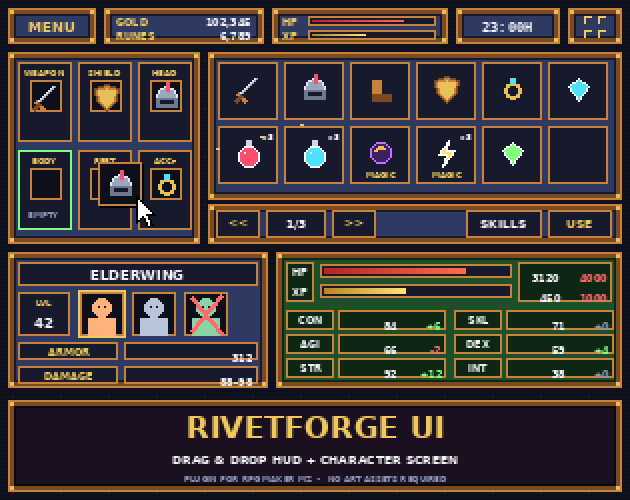
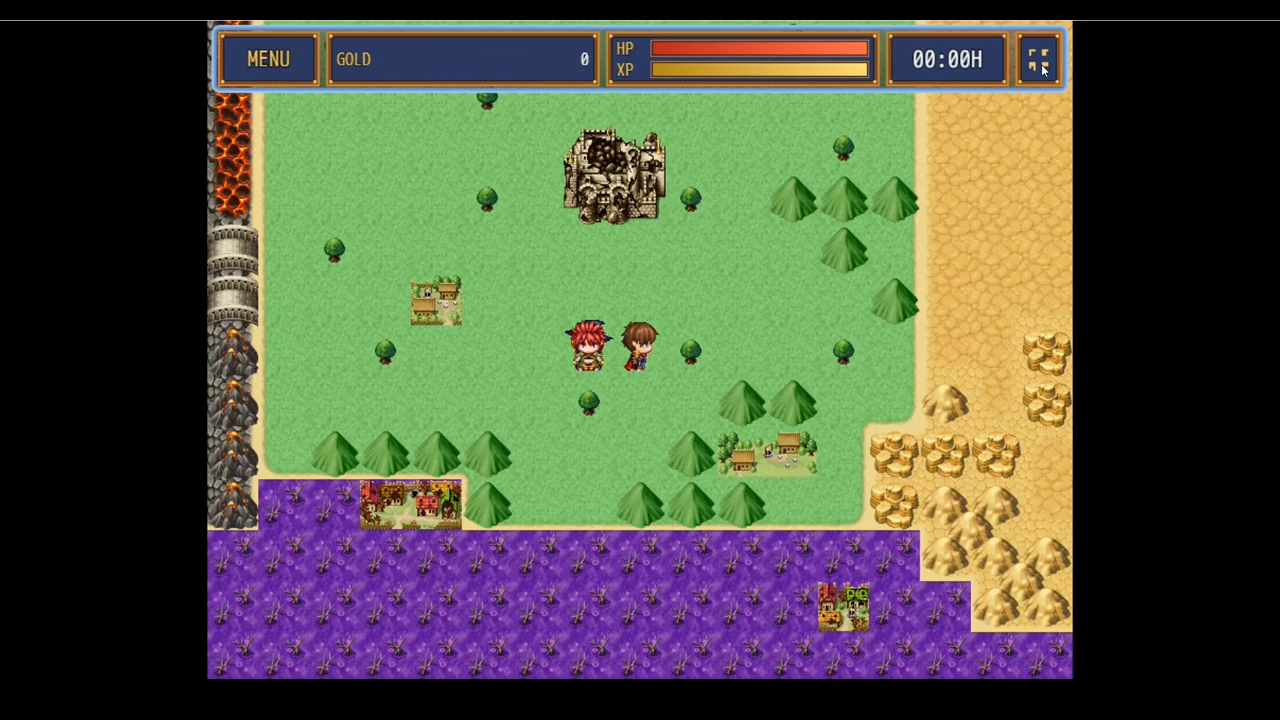
A slim top bar shows what players actually check while exploring:
- MENU button (touch/mouse) and a fullscreen toggle
- Gold plus an optional second currency bound to any game variable (Runes, Souls, Tokens…)
- HP and XP bars for the party leader
- Clock — play time or your own hour/minute variables, in
23:00Hstyle
Hides itself during messages and events, or on demand with a switch or plugin command. Visibility is saved with the game.
Character screen
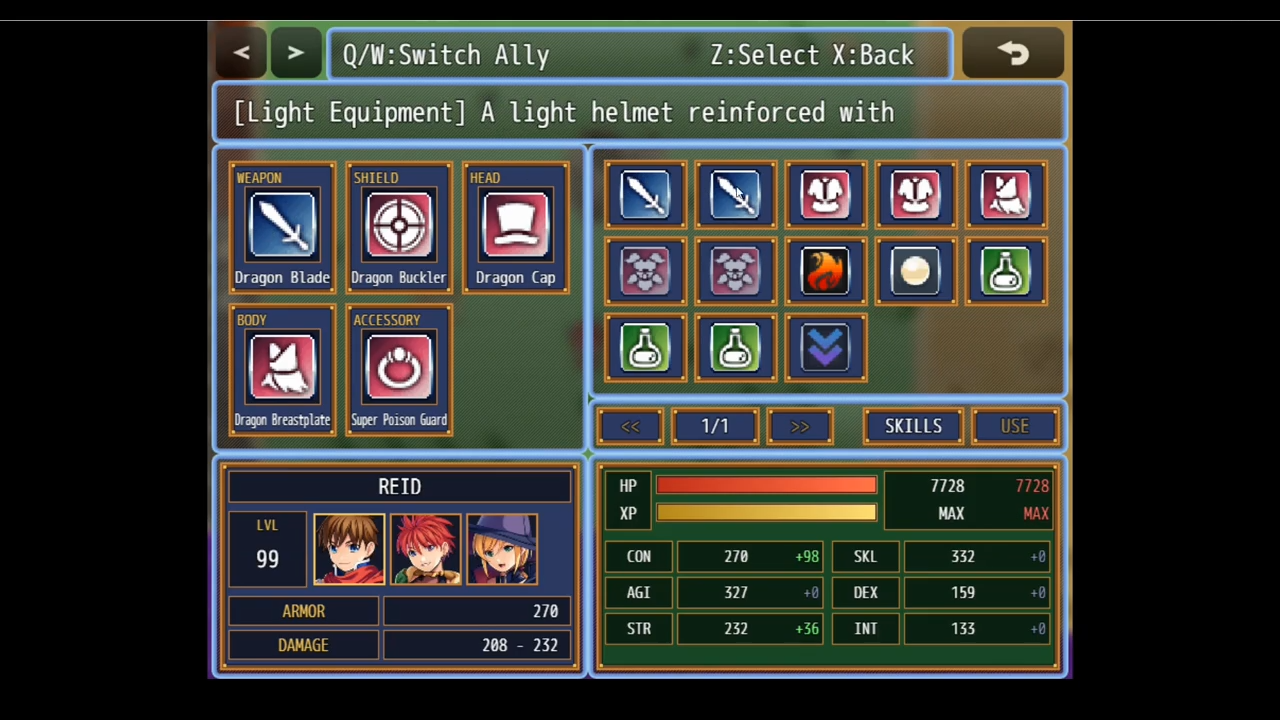
- Equipment grid with big scaled icons and slot labels
- Paged item grid with
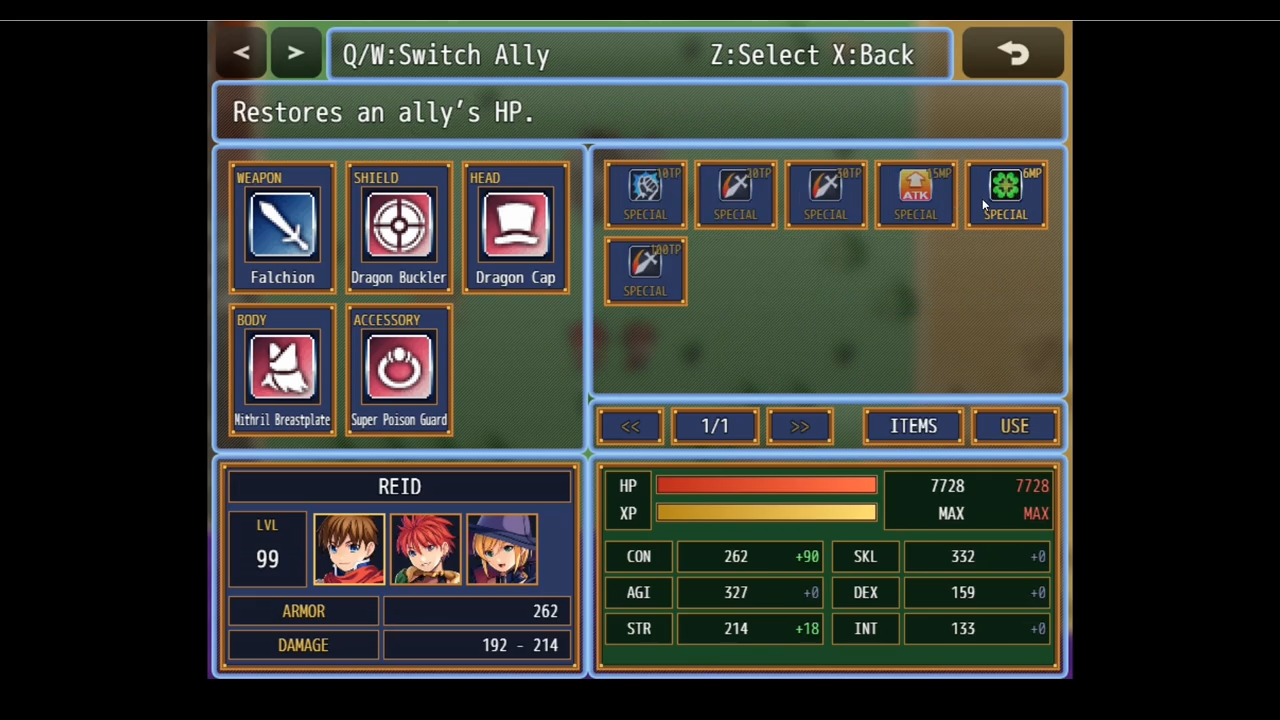
<< 1/3 >>navigation, quantity badges and optional captions (<RFTag:MAGIC>) - Skills view on the same grid — MP/TP costs, skill-type captions, greyed out when uncastable
- Portrait panel — name, level, whole party as tappable portraits (dead members get the red X), Armor and Damage range
- Stats panel — HP/XP with numbers, six configurable parameters, and a second column that shows your equipment bonus at rest or a green/red preview while you hover or drag
Drag & drop that respects your rules
Every drop goes through the same checks the engine uses: equip-type match, class restrictions, sealed slots, item occasion, MP/TP cost. Invalid drops just buzz. Valid ones play the proper SE and consume, pay and trigger common events exactly like the default scenes.
Keyboard and gamepad first-class
Nothing is mouse-only. OK on a slot opens a filtered pick list (with a REMOVE entry), OK on an item auto-equips or uses it, Shift toggles Items/Skills, Q/W flips pages or actors, and the standard page buttons still work with Touch UI.
Zero art required
Panels, rivets, bars and buttons are drawn in code on top of your existing window skin. Every color is a parameter, so a five-minute palette change turns bronze-and-steel into oak-and-parchment or neon-and-glass. Prefer flat panels? Switch the window skin off with one toggle.
Plugin commands
- Open Character Screen — from any event, optionally starting on the Skills view
- Show/Hide HUD
Compatibility
- RPG Maker MZ (tested on the current core scripts)
- Aliases rather than overwrites wherever possible; the main-menu command replacement can be turned off if you use a custom menu plugin
- Not designed for MV
License
- Free for commercial and non-commercial projects. Credit “RivetForge UI” appreciated but not required.

Reviews
There are no reviews yet.